Why use a website monitoring suite?
Many web teams juggle separate tools: uptime alerts in one place, Core Web Vitals in another and DNS checks somewhere else. The Nanokoi website monitoring suite brings these signals into one dashboard, so you spend less time switching tabs and more time fixing issues.
Uptime, SSL certificate, DNS and Google Lighthouse performance monitoring share the same alerts (email, Slack and webhooks) and the same reporting, whichever plan you are on.
Three monitoring pillars that work together
Uptime and SSL monitoring
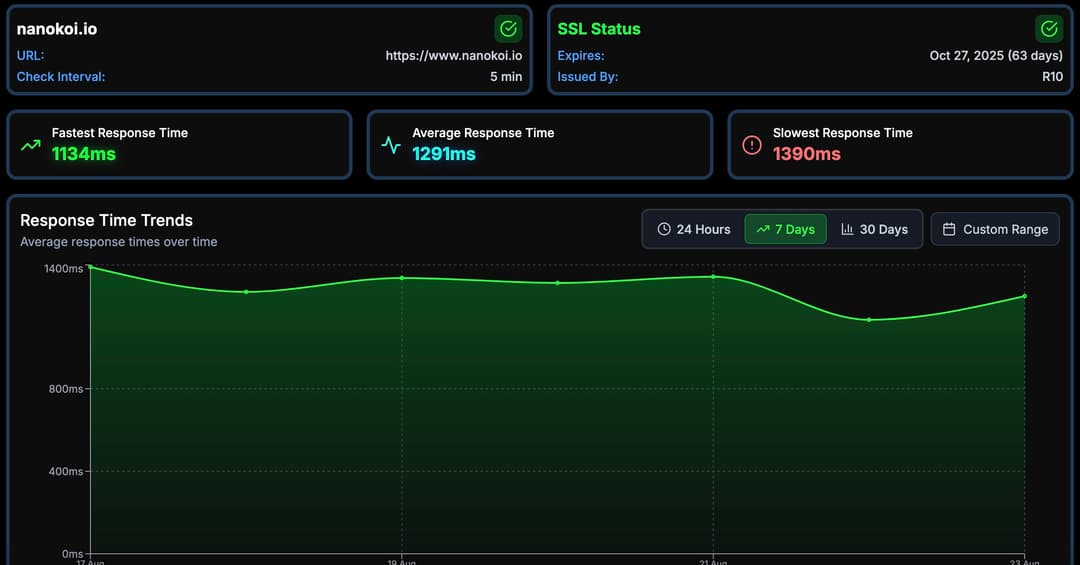
Availability checks from every 5 minutes on the free plan down to every 30 seconds on Professional, plus SSL certificate monitoring on all plans.
Performance and Lighthouse
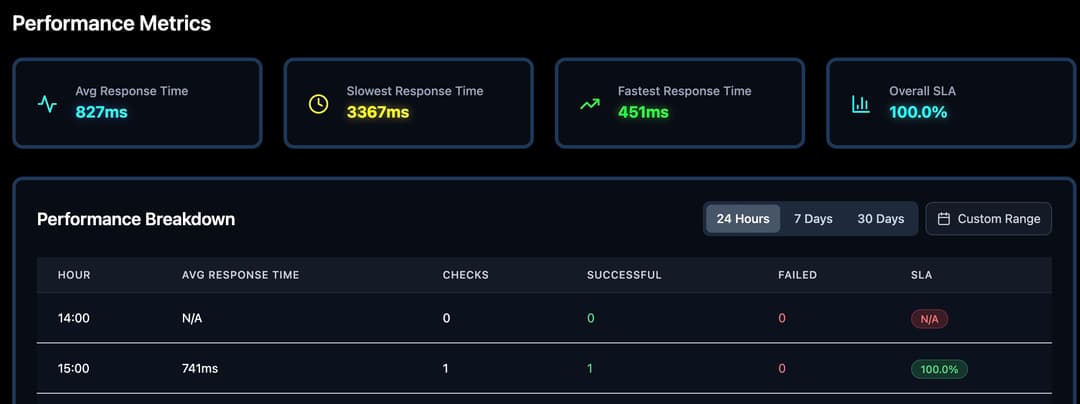
Google Lighthouse performance monitoring and Core Web Vitals tracking, with AI-generated optimisation reports that suggest what to fix.
DNS monitoring
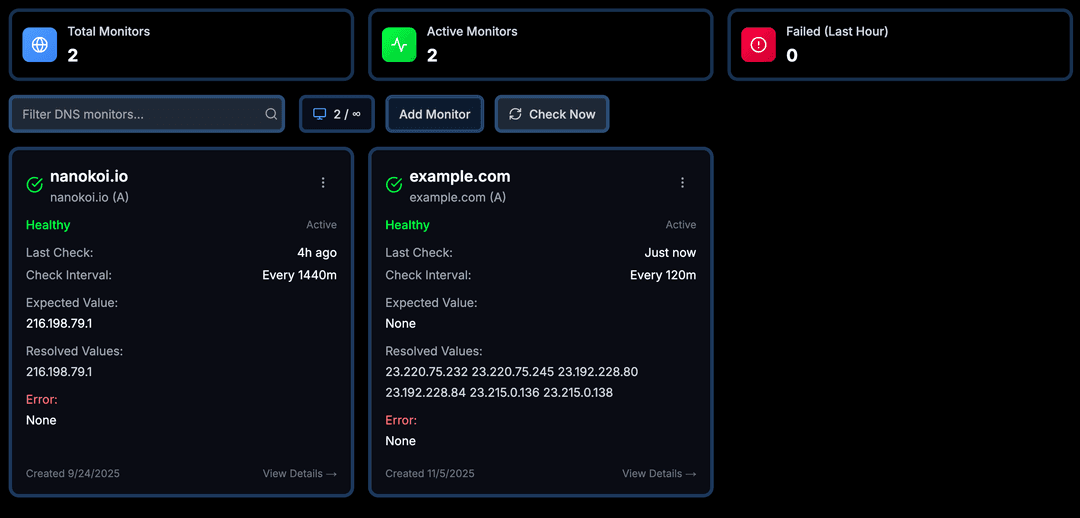
Keep an eye on A, AAAA, CNAME, MX, NS, TXT and SRV records so unexpected changes do not go unnoticed.
What the suite covers
Every capability lives in the same workspace and uses the same alerting.
| Capability | What it monitors | How Nanokoi helps |
|---|---|---|
| Uptime | HTTP/S availability and response times | Checks every 5 minutes (Free), 1 minute (Starter), 30 seconds (Professional) or custom intervals (Enterprise) |
| SSL certificates | Certificate validity and expiry | Included on every plan |
| Performance | Lighthouse scores and Core Web Vitals | Lighthouse performance monitoring and AI-generated optimisation reports |
| DNS | A, AAAA, CNAME, MX, NS, TXT and SRV records | Record monitoring with alerts |
| Status pages and reporting | Uptime history for customers and stakeholders | Public SLA status pages on Professional; CSV, JSON and XML export on all plans |
| API | Programmatic access to your monitoring data | REST API with token auth on paid plans (100 requests/hour) |
Alerts for every capability go out by email, Slack or webhook.
How teams use the suite day to day
- 1
Open the dashboard to see uptime, Lighthouse scores and DNS status for every monitored URL.
- 2
Get alerted by email, Slack or webhook the moment a site goes down or a check fails.
- 3
Read the AI-generated optimisation reports to decide which performance fixes to tackle first.
- 4
Share uptime with customers through public SLA status pages, or export data as CSV, JSON or XML for your own reports.
AI-powered performance insights
Nanokoi turns Lighthouse results into AI-generated optimisation reports that explain what slows your pages down and what to fix first.
On the Professional plan, AI-powered performance insights give you a deeper view of how your sites perform.
Plans for every stage
Start free with up to 5 URLs and 5-minute checks, no credit card required. Starter ($10/month) covers 10 URLs with 1-minute checks, and Professional ($29/month) covers 50 URLs with 30-second checks, AI-powered performance insights and public SLA status pages.
Enterprise ($99/month) adds 200 URLs, custom check intervals, custom integrations and white-label options for agencies and larger teams.
The suite in action
Uptime, performance and DNS monitoring side by side.
Frequently asked questions
What does the Nanokoi website monitoring suite include?
Uptime monitoring, SSL certificate monitoring, DNS monitoring, Google Lighthouse performance monitoring with Core Web Vitals tracking, AI-generated optimisation reports, email, Slack and webhook alerts, and data export in CSV, JSON and XML.
Is there a free plan?
Yes. The free plan monitors up to 5 URLs with 5-minute checks, free forever and with no credit card required.
Which plan includes public SLA status pages?
Public SLA status pages are part of the Professional plan ($29/month), along with 30-second checks and AI-powered performance insights.
Does Nanokoi have an API?
Yes. Paid plans include a REST API with token authentication, limited to 100 requests per hour.
Explore the suite
Ready to bring your monitoring together?
Cover uptime, SSL, DNS and performance from one dashboard. Start free with up to 5 URLs.