What are HTTP status codes?
HTTP status codes are the three-digit numbers a server sends back with every response to tell the client what happened: the request worked, the resource moved, the client made a mistake, or the server failed. They are defined in the HTTP standard (RFC 9110) and are the fastest way to understand why a page, API call or monitoring check behaved the way it did. This cheat sheet covers the codes you will actually meet in production, what they mean for SEO and uptime, and which ones deserve an alert.
The five classes of HTTP status codes
The first digit of a status code defines its class. Knowing the class tells you immediately whether you are looking at a success, a redirect, a client-side problem or a server-side failure.
Status code classes
1xx informational responses
1xx codes are interim responses sent before the final one. Browsers and HTTP libraries handle them automatically, so you rarely see them in logs or monitoring results.
Continue
The server has received the request headers and the client may send the request body. Used with the Expect: 100-continue header for large uploads.
Switching Protocols
The server agrees to switch protocols at the client's request, most commonly when upgrading a connection to WebSocket.
Early Hints
Early Hints: the server sends Link headers ahead of the final response so the browser can start preloading critical CSS, fonts or scripts.
2xx success responses
2xx codes mean the request was received, understood and accepted. For most pages and health-check endpoints, 200 is the response you expect – anything else deserves a second look.
OK
The request succeeded and the response body contains the requested resource. This is the normal response for pages and GET requests.
Created
The request succeeded and created a new resource, typically after a POST to an API. The Location header usually points to the new resource.
No Content
The request succeeded but there is no body to return. Common for DELETE requests and for APIs that only need to confirm an action.
Partial Content
The server is returning only part of the resource because the client sent a Range header. Used for video streaming and resumable downloads.
What to watch in 2xx responses
- A 200 is not proof the page works: an error page served with 200 is a 'soft 404' in Google Search Console
- Check that key pages return the expected content, not just a success code
- Expect 201 or 204 from write endpoints; a 200 there can signal an API contract change
- Watch for 206 only where you actually serve range requests
3xx redirection responses
3xx codes tell the client that the resource lives somewhere else or hasn't changed. Choosing the right redirect matters for SEO: Google treats permanent and temporary redirects differently when deciding which URL to index.
Moved Permanently
Moved Permanently. The resource has a new permanent URL. Use it for domain moves, HTTPS migrations and URL restructures. Clients may change POST to GET when following it.
Found
Found. The resource is temporarily at a different URL and the original should stay indexed. Use it for short-term moves such as maintenance pages.
Not Modified
Not Modified. The cached copy is still valid, so the server sends no body. A sign that conditional requests and caching headers are working.
Temporary Redirect
Temporary Redirect. Like 302, but the client must repeat the request with the same method and body – important for form posts and API calls.
Permanent Redirect
Permanent Redirect. Like 301, but the method and body must not change. The safe choice for permanently moving API endpoints.
How redirects affect SEO
- Google treats 301 and 308 as a strong signal that the target URL should be indexed, and 302 and 307 as a weak signal (Google Search Central)
- Google's crawlers follow up to 10 redirect hops by default – but every hop adds latency, so point links straight at the final URL
- Redirect loops make a URL unreachable for users and crawlers alike
- Use permanent redirects for permanent moves; a long-lived 302 sends mixed signals
- After a migration, check that old URLs redirect instead of returning 404
4xx client error responses
4xx codes mean the server thinks the client made a mistake: a bad URL, missing credentials or too many requests. They are the errors users see most often, and a sudden spike usually points to a broken link, a deployment bug or an API change.
Bad Request
Bad Request. The server can't process the request because of malformed syntax, invalid JSON or missing parameters. Check client-side validation and API payloads.
Unauthorized
Unauthorized. Authentication is missing or invalid. Expected on protected endpoints; a spike may indicate expired tokens or credential-stuffing attempts.
Forbidden
Forbidden. The server understood the request but refuses it, even with valid credentials. Check roles, file permissions, firewall and CDN rules.
Not Found
Not Found. The server can't find the requested resource. Usually caused by deleted pages, typos or missing redirects.
Gone
Gone. The resource was removed on purpose and won't come back. Google handles 404 and 410 the same way: the URL is dropped from the index.
Too Many Requests
Too Many Requests. The client exceeded a rate limit. The Retry-After header tells it when to try again. Google treats 429 like a server error and slows crawling.
What to watch in 4xx responses
- 404s on pages that used to work – usually a missing redirect after a release or migration
- Rising 401/403 rates, which can signal expired credentials or misconfigured access rules
- 400s after a deployment, often a sign of a changed API contract
- 429s hitting legitimate users or Googlebot, which means your rate limits are too strict
- Indexed URLs returning 4xx are removed from Google's index
5xx server error responses
5xx codes mean the request was valid but the server – or something behind it – failed. These are the errors that take a site down, so they should always trigger an alert.
Internal Server Error
Internal Server Error. An unexpected condition stopped the server from fulfilling the request – typically an unhandled exception, a failed database query or a bad configuration.
Bad Gateway
Bad Gateway. A proxy, load balancer or CDN got an invalid response from the upstream server. Check that the application behind it is running and reachable.
Service Unavailable
Service Unavailable. The server is temporarily unable to handle the request because of overload or maintenance. Send a Retry-After header during planned downtime.
Gateway Timeout
Gateway Timeout. A proxy or gateway didn't get a response from the upstream server in time. Look for slow queries, stuck workers or network problems.
What to watch in 5xx responses
- Any 5xx on your homepage, login, checkout or health-check endpoint needs immediate attention
- 502 and 504 usually point to infrastructure between the user and your app: proxies, load balancers, CDNs
- 503 during traffic peaks is a capacity warning
- Persistent 5xx errors make Google slow down crawling and eventually drop indexed URLs (Google Search Central)
- Intermittent 5xx errors are easy to miss without continuous monitoring
How to monitor HTTP status codes
You can't watch server logs around the clock, so automate it: an uptime monitor requests your URLs at a fixed interval and alerts you as soon as a check fails. Start with the pages that make you money or matter to users, then add API and health-check endpoints. Our website monitoring guide explains how to choose what to monitor.
Monitor status codes with nanokoi.io
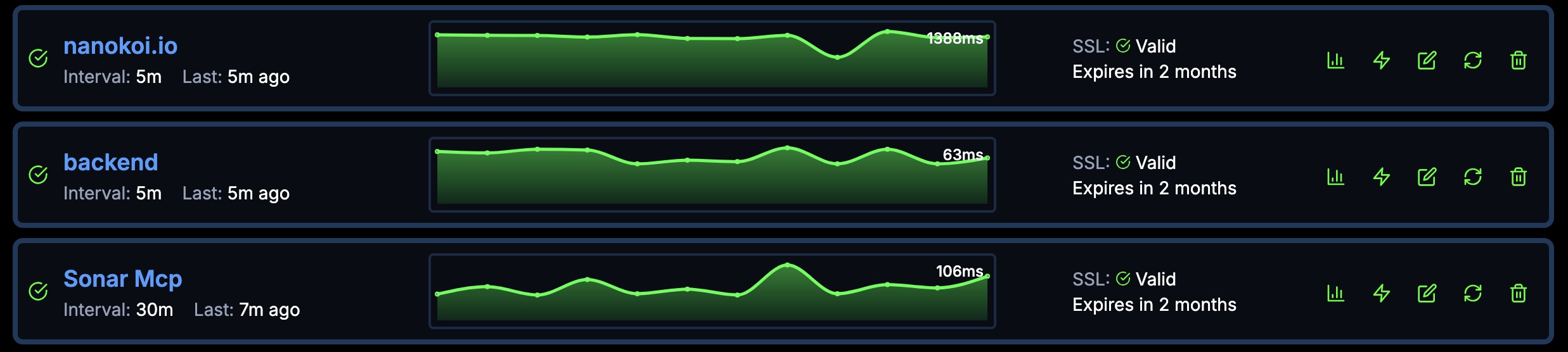
nanokoi.io uptime monitoring checks your URLs every 5 minutes on the Free plan, every minute on Starter and every 30 seconds on Professional, and alerts you by email, Slack or webhook when a check fails. It also monitors SSL certificates and DNS records, so you catch problems that cause errors before they reach users. See the plans and check intervals.
Best practices
- Monitor critical pages and endpoints, not just the homepage
- Alert on every 5xx and on 4xx responses from URLs that should always work
- Route alerts to where your team works – for example a dedicated Slack channel (see our Slack webhook setup guide)
- Re-check redirects after every migration or URL change
- Serve helpful error pages with the correct status code, never an error page with 200
Common status code scenarios
Status codes rarely appear alone. These are patterns you'll recognize in production, with the codes to look for and where to start fixing.
Checkout fails under load
Customers get an error when they try to complete a purchase.
500, 502, 503
Lost orders and abandoned carts
Check application logs, database connections, payment gateway status and server capacity
Mobile app can't load content
App users suddenly see empty screens or error messages.
429, 401
Frustrated users and failed sessions
Review API rate limits, token expiry and client retry logic
Traffic drops after a redesign
Old URLs return errors instead of pointing to their new location.
404, 301
Lost search rankings and broken backlinks
Map every old URL to a 301 or 308 redirect, update the sitemap and fix internal links
Images and CSS missing for some users
Pages load without styling or images in certain regions.
403, 404, 502
A broken-looking site and a poor user experience
Check CDN configuration, origin connectivity, access rules and cache settings
How to troubleshoot an HTTP error
When an alert fires, work through the problem in a fixed order. It saves time and stops you from fixing symptoms instead of causes.
- 1
Assess scope and impact
Which URLs are affected, since when, and for whom? A single endpoint and a whole domain are very different incidents.
- 2
Reproduce the request
Repeat the request with curl or your browser's developer tools. Check the URL, method, headers and body for typos or missing parameters.
- 3
Test from another network
Request the same URL from a different location or network to rule out local issues, and compare the CDN response with the origin server's.
- 4
Check dependencies
For 5xx errors, verify databases, backend services, third-party APIs and server resources such as CPU, memory and disk.
- 5
Review recent changes
Most incidents follow a deployment, a configuration change or an expired certificate or domain. Check your change log first.
- 6
Prevent a repeat
Once it's fixed, add a monitor for the affected URL and document what happened so the next incident is faster to resolve.
HTTP status codes FAQ
What is the difference between 4xx and 5xx status codes?
4xx codes mean the server believes the client made an error, such as requesting a missing page or sending invalid credentials. 5xx codes mean the request was valid but the server failed to handle it.
Should I use a 301 or a 302 redirect?
Use 301 (or 308) when a page has moved for good – Google treats it as a strong signal to index the new URL. Use 302 (or 307) only for temporary moves where the original URL should stay indexed.
What is the difference between 404 and 410?
404 says the resource wasn't found; 410 says it was removed on purpose and won't return. Google treats both the same way and removes the URL from its index.
Which HTTP status codes should trigger an alert?
Every 5xx response, plus 4xx responses from URLs that should always work – such as your homepage, login, checkout and health-check endpoints. Unexpected redirects on those URLs are worth an alert too.
Catch HTTP errors before your users do
Monitor your key URLs with nanokoi.io and get alerted by email, Slack or webhook when a check fails. The Free plan covers up to 5 URLs with 5-minute checks.
Start monitoring for freeNo credit card required